See the source app and copy time
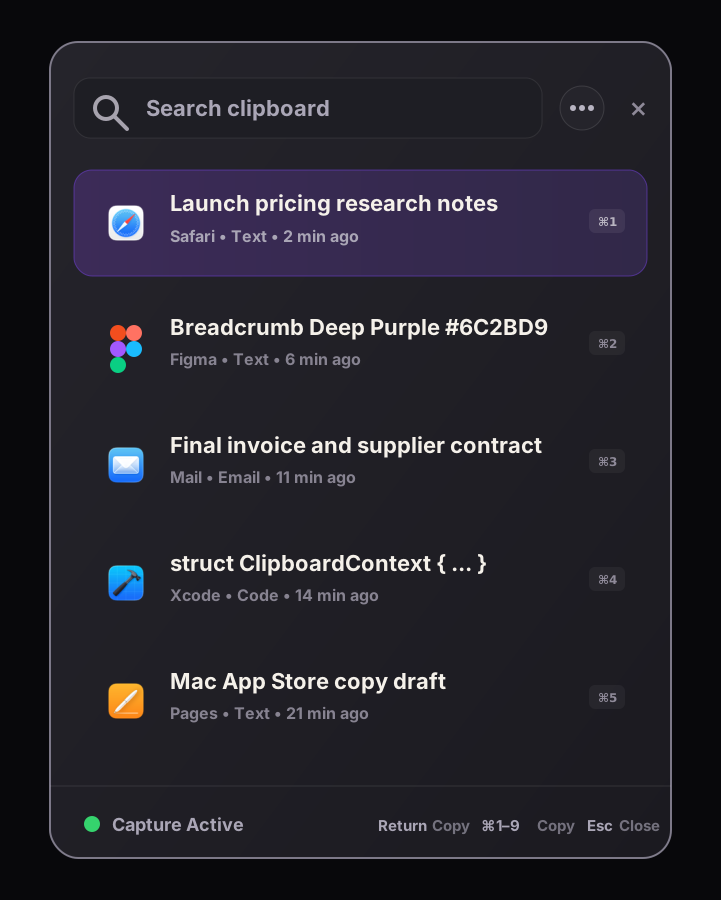
Each saved item can carry the frontmost source app and the time it was copied, so the list stays recognizable.

 Stonebird Group

Stonebird Labs / 02
Pre-launch / native Mac utility
Breadcrumb helps you find what you copied, remember which app it came from, and recover nearby copied items without sending your clipboard to a cloud service.
Quick answer
Breadcrumb is a native macOS clipboard history app from Stonebird Labs. It helps Mac users recover copied text, links, code-like snippets, and images with source app context, local-first storage, fast search, and nearby copied items. It is pre-launch and does not promise cloud sync or account-based clipboard storage.
Problem
Most clipboard mistakes are not caused by forgetting that something was copied. They happen because the source app or copy time no longer stands out among nearby copies.
Each saved item can carry the frontmost source app and the time it was copied, so the list stays recognizable.
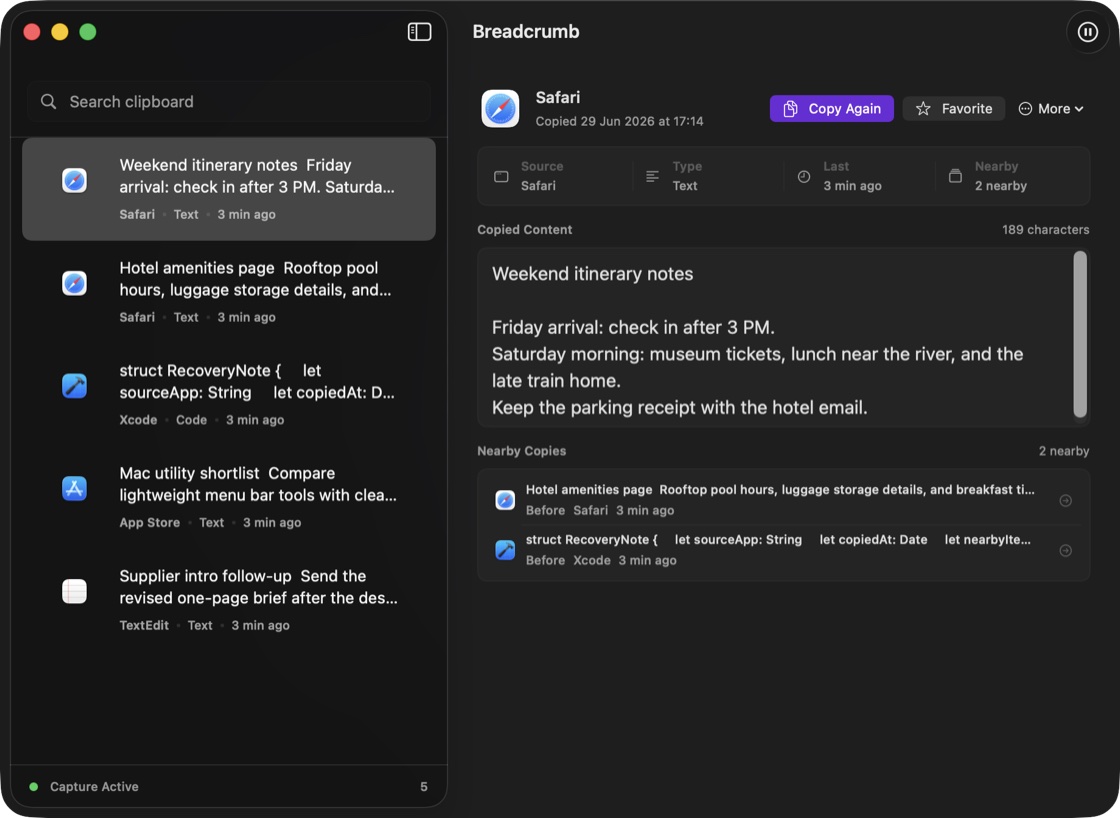
Inspect the items copied around a result to rebuild the immediate trail without leaving the Mac.
Find copied text, links, code-like snippets, email-like text, image entries, and source app labels from one Mac-native search surface.
Solution
Open the Quick Panel, type a few characters, move with the keyboard, and copy again. When an item needs more inspection, open the main window to review content, source details, copy count, and nearby copies.
Designed as a transient command surface for fast recall from the keyboard.
Built for slower recovery when you need provenance, copied content, and nearby context.
Practical examples
Related guides
FAQ
Yes. Breadcrumb is a native macOS clipboard history app focused on fast search, source app context, and local-first storage.
No. The launch product is local-first and Mac-only. There is no cloud sync, account system, analytics SDK, or collaboration layer in the launch promise.
Breadcrumb keeps the frontmost source app and copy time with a copied item. Those are the context boundaries for the launch product.
No. Breadcrumb is pre-launch and has no public download yet. The email action only opens a message for you to send to Stonebird about the launch.